 For project planning
See the whole project, one step at a time.
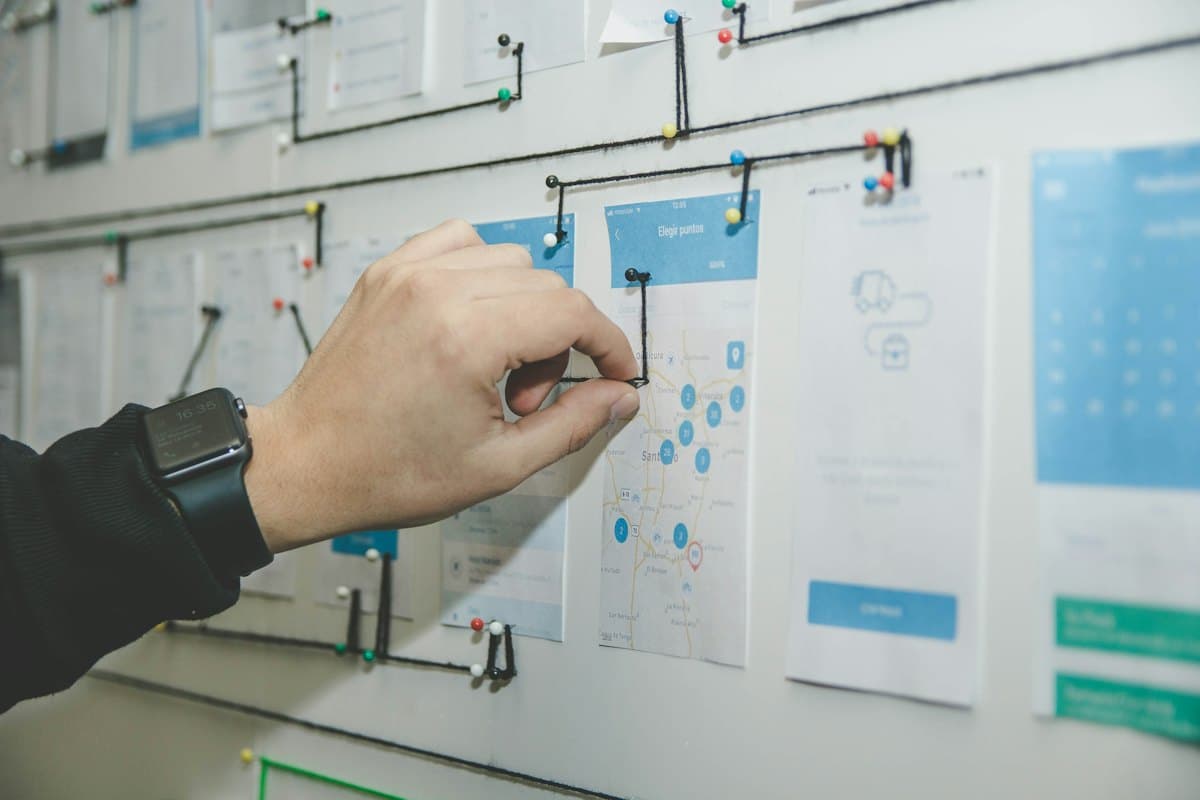
Not another task list: the whole project on one board, what's done, what's next and what comes after, with the lines between them.
Start a board, freeProject: a new website
Done
flows, v3
Picked a name, bought the domain, talked to five people.
Next
Home, pricing and about. Paper first.
The smallest version. One page, done well.
Notes
The plan
Week one: wireframes. Week two: build the smallest version. Week three: show it to five people and listen…
350 words

the desk
 Project: a new website
The big picture.
Home, pricing, about. Paper first.
One page, done well.
Watch, don't explain.
Then decide what's next.

What comes after what.
Arrow each step to the next and label it. The order of things is on the board, not in your head.
Website: where we are
Name picked, domain bought, five chats.
Wireframes for home, pricing and about.
Blog, newsletter, dark mode.
One thing at a time. Finish first.
Done, next, later.
Three handwritten headings, a note per task, a colour per kind of work. Moving a card is the whole workflow.
The details, close by.
The plan
Week one: wireframes. Week two: build the smallest version. Week three: listen…
350 words
The plan
Week one: wireframes. Week two: build the smallest version. Week three: show it to five people and listen.1
Not doing
If nobody asks for it twice, it waits.
1. Kickoff, 2 September.
double-click to open →
Plans that need more than a note.
A document card holds the longer plan, the spec or the meeting notes, searchable with everything else.
Project: new websiteNext
Paper first.
One page, done well.
Notes
↑ led to · from Done
the desk
Tick things off anywhere.
Your board on your phone as a list. Add the idea you had on the walk home before it's gone.
Free on your own. Plus to bring people in.
You pay for Plus; everyone you invite edits for free.
Free
$0no card needed
Everything you need for your own thinking.
- Unlimited boards, notes and documents
- 2 GB of photos, videos and files, synced
- Arrows, groups, checklists and the pen
- Sync between your own devices
- 10 frog doodles a day
- View-only links for anyone, no account needed
- Publish a board as your page, at untitled.cards/@you

PlusFor boards you share
$4.51a month
$54 billed yearly, VAT included · charged in USD at today's rate
- Everything in Free
- Invite people to edit your boards, free for them
- Approve who edits, remove anyone, anytime
- Edit together live, with cursors
- Comment, reply and react on shared boards
- 50 GB of photos, videos and files, synced
- 30 frog doodles a day
- Your page at your own domain, no badge
Questions
Does it have due dates and reminders?+
No. untitled is a board for seeing a project, not a task manager. Many people keep dates in their calendar and the plan here.
What can I put on a board?+
Notes, handwritten headings, pen strokes, photos, videos, links, PDFs and PowerPoint decks, and documents you write here or bring in from Word or a spreadsheet. Paste a web address and it becomes a card with the page's title, picture and an Open button. A PDF shows its first page and opens to read every page. A Word document becomes a document you can edit, and each sheet of a spreadsheet (Excel, CSV or OpenDocument) a document holding it as a table; both keep the original file to download. A PowerPoint deck shows its outline and speaker notes, which you can search, and once you're signed in, its real slides.
Is untitled free?+
Yes, for your own boards: notes, photos, videos, PDFs, documents and sync across your devices (2 GB of photos, videos and files), with no ads and no card needed. The frog draws ten doodles a day with a free account, and you can publish a board as your page. untitled Plus, a paid plan, adds editing together with the people you let in, comments, 50 GB for photos, videos and files, thirty doodles a day, and your page at your own domain without the badge.
Does it work offline?+
Yes. Once you've opened untitled with a connection, it opens without one, and everything saves on your device first; changes sync the next time you're online. On an iPhone, add it to your Home Screen so Safari keeps your boards on the phone.
Can I share a board?+
Yes. Turn on a board's link and anyone with it can look, no account needed. Signed in, they can ask to edit it with you, live, once you approve them (that takes untitled Plus). You can also export a board as one file for someone to import, or publish it as your page at untitled.cards/@you, for anyone to open.
 Students
 Designers